Building Multi-Agent Creative Systems: The Technical Blueprint for Prompt-to-Campaign Automation
Part 6 of 6 | By Tamil Selvan Gunasekaran, AI Agent Developer Intern at Autohive
How to Read This Post
This post comes from a system I worked on during my internship at Autohive. I am writing it as a builder's guide, but it started for me as a very practical question: how do you turn one vague creative brief into usable assets without making one agent do everything badly?
- Code examples are in Python, JavaScript, and CLI — copy-paste ready
- Comparison tables cover pricing, capabilities, and trade-offs for every tool
- Architecture diagrams are rendered as code blocks
- Bold terms are defined on first use
- Each section stands on its own — skip to whatever you need
I built a version of this during my internship at Autohive, working on creative AI systems for real client work. What follows is the cleaned-up version of the lessons that mattered.
1. The Problem Worth Solving
The reason this problem interested me is that a lot of "creative AI" products still ignore where the actual time goes. It is not just in coming up with ideas. It is in rewriting, resizing, reformatting, exporting, reviewing, and doing the same work again for five different platforms.
This is how a marketing campaign still gets produced in a lot of teams:
Current Creative Workflow:

  Creative Brief (from client or marketing lead)
      │
      ▼
  Creative Director (interprets brief, sets direction)     → 2-4 hours
      │
      ▼
  Graphic Designer (creates images in Photoshop/Figma)     → 4-8 hours
      │
      ▼
  Copywriter (writes captions, hashtags per platform)      → 2-4 hours
      │
      ▼
  Video Editor (cuts clips, adds overlays and music)       → 4-8 hours
      │
      ▼
  Social Media Manager (formats for each platform)         → 2-4 hours
      │
      ▼
  Review Rounds (2-3 iterations across all roles)          → 1-3 days
      │
      ▼
  Final Assets (images + videos + copy for 6 platforms)

  Total: 5 people, 14-28 hours, 2-5 days, ~$2,000-$5,000
Five people. Multiple rounds of revision. Days of turnaround. For a single campaign.
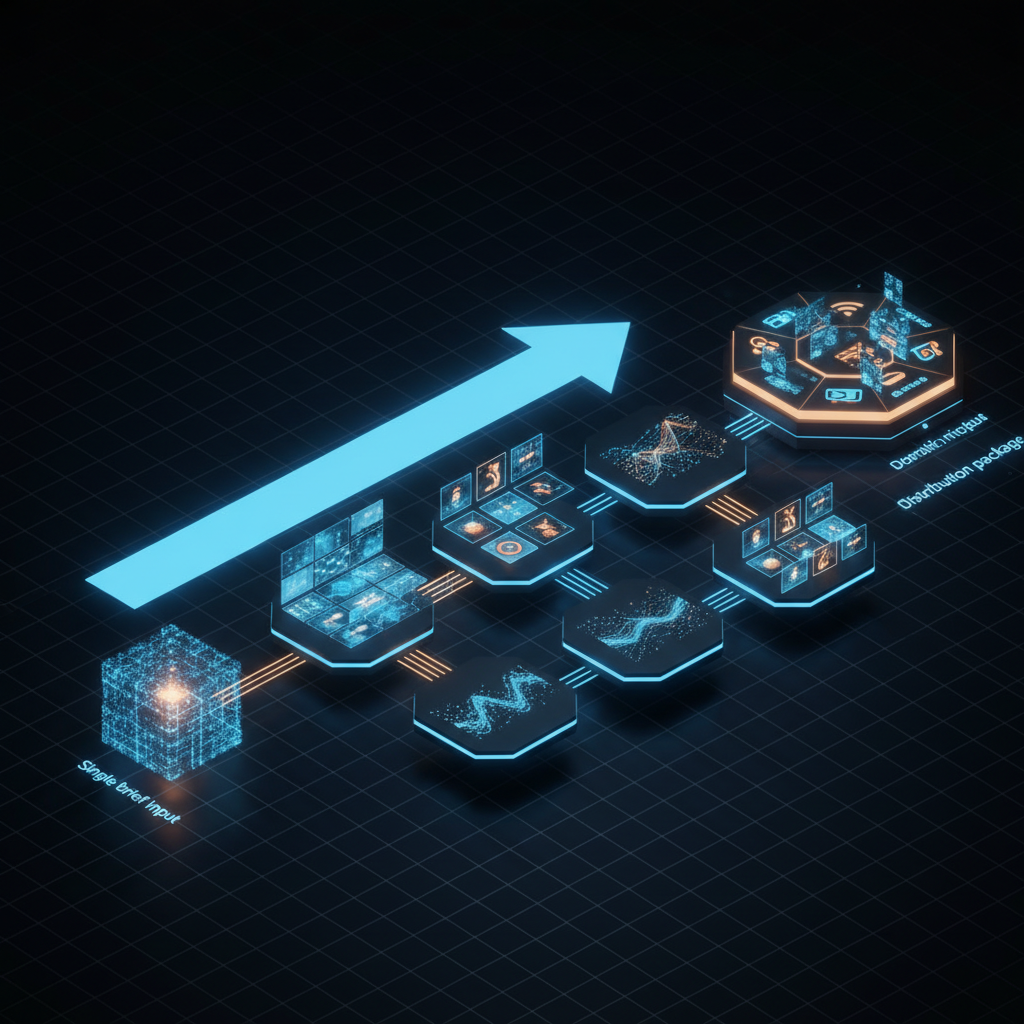
Now here is what the same workflow looks like with a multi-agent creative system:
AI Creative Pipeline:

  Single Text Prompt ("Launch campaign for summer sale, 30% off, beachwear")
      │
      ▼
  Creative Director Agent (interprets, sets direction)     → 5-10 seconds
      │
      ├─── Visual Agent (generates images in all formats)  → 30-60 seconds
      ├─── Copy Agent (writes platform-native captions)    → 10-20 seconds
      └─── Video Agent (produces short-form clips)         → 60-120 seconds
      │
      ▼
  Platform Formatter (deterministic resizing + packaging)  → 5-10 seconds
      │
      ▼
  VLM Quality Check (reviews outputs against brief)        → 10-15 seconds
      │
      ▼
  Final Assets (images + videos + copy for 6 platforms)

  Total: 0 people, ~3-5 minutes, ~$1.74
When I first saw this workflow compressed into a coordinated system, that was the moment it clicked for me. Most of the drag in content production is not "creativity" in the romantic sense. It is the repetitive mechanical work wrapped around it.
The key insight for me was this: a lot of what gets called creative production is actually mechanical reformatting. Resize the image. Adjust the aspect ratio. Rewrite the caption for another platform. Export again. A good system should spend LLM power on judgment and taste, and use deterministic tooling for the repetitive parts.
Use deterministic logic for what you can, reserve LLM reasoning for what you must.
That principle — which I established early in my work with production AI systems — is the foundation of everything in this post.
2. The Architecture: A System of Agents, Not a Single Agent
The most common mistake in building creative AI systems is trying to make one agent do everything. A single agent that generates images, writes copy, produces video, and formats for platforms will be mediocre at all of them.
The correct architecture is a multi-agent system where specialized agents collaborate like a creative team. Each agent has a focused job. Each agent uses the best tool for that job. And an orchestrator coordinates them.
User Prompt: "Launch campaign for summer sale, 30% off, beachwear collection"
    │
    ▼
┌─────────────────────────────────────────┐
│  Creative Director Agent (Orchestrator) │
│  Model: GPT-5.2 / Claude / Gemini 3    │
│                                         │
│  • Interprets the brief                 │
│  • Defines visual direction + mood      │
│  • Sets tone and style guidelines       │
│  • Delegates to specialist agents       │
│  • Reviews final outputs via VLM        │
└──────────────┬──────────────────────────┘
               │
    ┌──────────┼──────────────┐
    ▼          ▼              ▼
┌────────┐ ┌────────────┐ ┌──────────────┐
│ Visual │ │ Copy       │ │ Video        │
│ Agent  │ │ Agent      │ │ Agent        │
│        │ │            │ │              │
│ Image  │ │ LLM for    │ │ Veo 3.1 /   │
│ Gen API│ │ platform-  │ │ Sora 2 /    │
│ + Sharp│ │ native     │ │ FFmpeg      │
│ / PIL  │ │ captions   │ │ / Remotion  │
└───┬────┘ └─────┬──────┘ └──────┬───────┘
    │            │               │
    ▼            ▼               ▼
 Images in    Platform-       Short-form
 all sizes    specific        video clips
 & formats    captions &      with brand
              hashtags        overlays
    │            │               │
    └────────────┼───────────────┘
                 ▼
    ┌─────────────────────────────┐
    │  Platform Formatter Agent   │
    │  (Deterministic — no LLM)   │
    │                             │
    │  Sharp / PIL / FFmpeg       │
    │                             │
    │  Instagram: 1080x1080,      │
    │    1080x1350, 1080x1920     │
    │  TikTok: 1080x1920         │
    │  LinkedIn: 1200x627        │
    │  Twitter/X: 1600x900       │
    │  Facebook: 1200x630        │
    │  YouTube: 1280x720 thumb   │
    └──────────────┬──────────────┘
                   ▼
    ┌─────────────────────────────┐
    │  VLM Quality Gate           │
    │  Gemini 3 Pro / GPT-4o     │
    │                             │
    │  • Brand consistency check  │
    │  • Text legibility check    │
    │  • Composition review       │
    │  • Accept / Regenerate      │
    └──────────────┬──────────────┘
                   ▼
            Content Folder
         (All assets organized
          by platform)
Why Separate Agents?
| Concern | Single Agent | Multi-Agent |
|---|---|---|
| Model selection | One model for everything | Best model per task |
| Prompt complexity | Massive, brittle prompt | Focused, maintainable prompts |
| Parallelism | Sequential execution | Visual + Copy + Video in parallel |
| Error isolation | One failure kills everything | One agent retries independently |
| Cost optimization | Expensive model for cheap tasks | Cheap models for simple tasks |
| Iteration | Regenerate everything | Regenerate only the failing part |
The Creative Director Agent is the orchestrator. It takes the raw brief, expands it into a structured creative specification, and delegates to the specialist agents. It does not generate any content itself — it directs the production. This separation is critical. Orchestration and creation require different reasoning patterns, and mixing them in a single prompt produces mediocre results at both.
3. The Tech Stack: Every Layer, Every Tool
This is the core of the post. Building a creative pipeline requires tools at six layers: LLMs for orchestration and copy, image generation APIs, programmatic image editing, AI video generation, programmatic video editing, and VLMs for quality control.
3.1 LLMs for Orchestration and Copy
The Creative Director Agent and the Copy Agent are powered by LLMs. You need a model that is strong at instruction following, structured output, and creative writing.
| Model | Best For | Context Window | Pricing (per 1M tokens) | Notes |
|---|---|---|---|---|
| GPT-5.2 | Orchestration, structured output | 1M | ~$2 input / $8 output | State-of-the-art reasoning and structured output |
| GPT-4o | Copy writing, multimodal understanding | 128K | $2.50 input / $10 output | Strong creative writing, cheaper option |
| Claude Sonnet 4.5 | Creative writing, nuance | 200K | ~$3 input / $15 output | Best creative writing and tone adaptation |
| Gemini 3 Pro | Multimodal, long context | 1M+ | ~$1.25 input / $10 output | Native vision understanding, multimodal |
| Llama 4 Maverick | Self-hosted, privacy-sensitive | 128K | Free (compute costs only) | Open weights, latest from Meta |
| Qwen 3 | Self-hosted, multilingual | 128K | Free (compute costs only) | Strong multilingual support |
My recommendation: Use GPT-5.2 or Gemini 3 Pro for the orchestrator (you need reliable structured output and long context). Use Claude Sonnet 4.5 for the copy agent (it produces the most natural, platform-adapted writing). If cost is a concern, use Llama 4 Maverick self-hosted for orchestration and a smaller model for copy.
The Copy Agent prompt needs platform-specific intelligence baked in:
COPY_AGENT_SYSTEM_PROMPT = """
You are a social media copywriter. Given a creative brief and visual
description, write platform-native content for each specified platform.

Platform guidelines:
- Instagram: Visual-first language. 20-30 hashtags (mix high-volume and
  niche). Emoji usage matching brand voice. CTA in last line. Max 2,200 chars.
- LinkedIn: Professional tone. Industry framing. Longer-form storytelling.
  Line breaks for "see more" optimization. 3-5 hashtags. Max 3,000 chars.
- TikTok: Casual, trend-aware. Hook in first line. Suggest trending sounds.
  3-5 hashtags optimized for For You Page. Max 2,200 chars.
- Twitter/X: Punchy, under 280 characters. Thread structure for longer
  content. 1-2 hashtags maximum. No hashtag spam.
- Facebook: Conversational. Question-based engagement. 1-3 hashtags.
  Max 63,206 chars but optimal under 500.
- YouTube: SEO-optimized description. Timestamps if applicable.
  3-5 hashtags. Max 5,000 chars.

Output format: JSON with keys for each platform containing "caption",
"hashtags" (array), and "cta" (string).
"""
3.2 Image Generation APIs
This is where the creative pipeline starts producing visual assets. The image generation landscape as of early 2026 offers models ranging from $0.008 to $0.24 per image, each with different strengths.
| Model | Developer | Best For | Resolution | Price/Image | Text Rendering | Speed |
|---|---|---|---|---|---|---|
| GPT Image 1.5 | OpenAI | General quality, prompt adherence | Up to 1536x1024 | $0.009-$0.20 (tiered: low/medium/high) | Good | ~10s |
| Nano Banana Pro | Google (Gemini 3 Pro Image) | Overall quality, prompt adherence | Up to 4K | $0.02-$0.24 (2K/4K) | Good | ~8s |
| FLUX 2 Pro | Black Forest Labs | Professional quality, fidelity | Up to 2048x2048 | $0.05 | Moderate | ~8s |
| FLUX 2 Flex | Black Forest Labs | Adjustable inference, recommended variant | Up to 2048x2048 | ~$0.03 | Moderate | ~5s |
| FLUX 2 Klein 9B | Black Forest Labs | Budget, LoRA customization | Up to 2048x2048 | $0.01 | Moderate | ~3s |
| Ideogram 3.0 | Ideogram | Text in images, logos | Up to 1024x1024 | ~$0.03 | Best | ~8s |
| Seedream 5.0 | ByteDance | Web search, reasoning | Up to 4K | $0.04 | Good | ~10s |
| Qwen Image | Alibaba | Bilingual text (EN/CN) | Up to 1536x1536 | $0.02 | Excellent (CJK) | ~6s |
GPT Image 1.5 is the current quality leader for general-purpose generation. It uses a tiered pricing model — low quality at $0.009/image is good enough for iteration, medium at $0.034 for review drafts, and high at $0.133 for final assets:
import openai

client = openai.OpenAI()

# Generate a marketing image
response = client.images.generate(
    model="gpt-image-1.5",
    prompt="""Summer beachwear sale campaign image. Bright, warm colors.
    Lifestyle photography style — person walking on beach at golden hour
    wearing flowing summer dress. Text overlay area in top-third.
    Clean composition suitable for Instagram feed.""",
    size="1024x1024",
    quality="high",
    n=1
)

image_url = response.data[0].url
FLUX 2 Klein 9B is the budget champion at $0.01/image with open weights and LoRA support — meaning you can fine-tune it on your brand's visual style:
import requests

# Via fal.ai or Replicate
response = requests.post(
    "https://fal.run/fal-ai/flux-2/klein-9b",
    headers={"Authorization": "Key YOUR_API_KEY"},
    json={
        "prompt": "Modern summer fashion lookbook, beachwear collection, "
                  "clean white background, editorial photography style",
        "image_size": {"width": 1024, "height": 1024},
        "num_images": 1
    }
)

image_url = response.json()["images"][0]["url"]
Ideogram 3.0 is the model you reach for when your image needs text — sale percentages, brand names, event dates. Other models struggle with legible text rendering; Ideogram was designed for it.
Strategy for a creative pipeline: Generate the base creative image with Nano Banana Pro (rated #1 overall quality with best prompt adherence) or GPT Image 1.5 (high quality). Use FLUX 2 Pro (now a 32B parameter model) if you need higher resolution. Use Ideogram 3.0 specifically for any assets that require embedded text. Use FLUX 2 Klein for rapid iteration during prompt refinement — at $0.01/image, you can generate 100 variations for $1.
3.3 Programmatic Image Editing: Why You Need Both AI and Code
The part most tutorials skip is the unglamorous one: AI generates creative material, but deterministic tooling does the engineering work around it.
An AI image generation model produces a 1024x1024 image. Your campaign needs that image in:
- 1080x1080 for Instagram feed
- 1080x1350 for Instagram portrait
- 1080x1920 for Instagram Stories and Reels
- 1200x627 for LinkedIn
- 1600x900 for Twitter/X
- 1200x630 for Facebook
- 1280x720 for YouTube thumbnail
You do not ask the AI to regenerate the image seven times at different aspect ratios. That is expensive, slow, and produces inconsistent results. Instead, you generate one high-quality base image and use programmatic tools to resize, crop, add brand overlays, and export in every format needed.
Sharp (Node.js)
Sharp wraps libvips, one of the fastest image processing libraries in existence. It handles resizing in milliseconds, not seconds.
const sharp = require('sharp');
const path = require('path');

const PLATFORM_SPECS = {
  instagram_feed:    { width: 1080, height: 1080, suffix: 'ig-feed' },
  instagram_portrait:{ width: 1080, height: 1350, suffix: 'ig-portrait' },
  instagram_stories: { width: 1080, height: 1920, suffix: 'ig-stories' },
  linkedin:          { width: 1200, height: 627,  suffix: 'linkedin' },
  twitter:           { width: 1600, height: 900,  suffix: 'twitter' },
  facebook:          { width: 1200, height: 630,  suffix: 'facebook' },
  youtube_thumb:     { width: 1280, height: 720,  suffix: 'yt-thumb' }
};

async function generatePlatformImages(inputPath, outputDir, brandLogoPath) {
  const results = {};

  for (const [platform, spec] of Object.entries(PLATFORM_SPECS)) {
    const outputPath = path.join(outputDir, `campaign-${spec.suffix}.webp`);

    let pipeline = sharp(inputPath)
      .resize(spec.width, spec.height, {
        fit: 'cover',
        position: 'attention'  // libvips smart crop — focuses on subject
      });

    // Add brand logo overlay (bottom-right corner)
    if (brandLogoPath) {
      const logo = await sharp(brandLogoPath)
        .resize(Math.round(spec.width * 0.15))  // 15% of image width
        .toBuffer();

      pipeline = pipeline.composite([{
        input: logo,
        gravity: 'southeast',
        blend: 'over'
      }]);
    }

    await pipeline
      .webp({ quality: 85 })
      .toFile(outputPath);

    results[platform] = outputPath;
  }

  return results;
}

// Usage
generatePlatformImages(
  './base-campaign-image.png',
  './output/images',
  './brand/logo-white.png'
);
The position: 'attention' parameter is worth highlighting. Sharp uses libvips' attention-based cropping, which analyzes the image for regions of interest (high contrast, faces, text) and crops around them. This means a landscape beach scene cropped to Instagram Stories portrait will keep the person centered, not cut their head off. This is deterministic image intelligence — no LLM needed.
Pillow / PIL (Python)
Pillow is the Python equivalent. Better for adding text overlays, watermarks, and complex compositions:
from PIL import Image, ImageDraw, ImageFont
import os

PLATFORM_SPECS = {
    "instagram_feed":     (1080, 1080),
    "instagram_portrait": (1080, 1350),
    "instagram_stories":  (1080, 1920),
    "linkedin":           (1200, 627),
    "twitter":            (1600, 900),
    "facebook":           (1200, 630),
    "youtube_thumb":      (1280, 720),
}

def resize_with_padding(img, target_w, target_h, bg_color=(0, 0, 0)):
    """Resize image to fit within target dimensions, pad remaining space."""
    img_ratio = img.width / img.height
    target_ratio = target_w / target_h

    if img_ratio > target_ratio:
        new_w = target_w
        new_h = int(target_w / img_ratio)
    else:
        new_h = target_h
        new_w = int(target_h * img_ratio)

    resized = img.resize((new_w, new_h), Image.LANCZOS)
    canvas = Image.new("RGB", (target_w, target_h), bg_color)
    offset = ((target_w - new_w) // 2, (target_h - new_h) // 2)
    canvas.paste(resized, offset)
    return canvas

def add_sale_overlay(img, text="30% OFF", position="top-center"):
    """Add a sale badge overlay to the image."""
    draw = ImageDraw.Draw(img)
    font = ImageFont.truetype("fonts/Montserrat-Bold.ttf", size=72)

    bbox = draw.textbbox((0, 0), text, font=font)
    text_w = bbox[2] - bbox[0]
    text_h = bbox[3] - bbox[1]
    padding = 20

    if position == "top-center":
        x = (img.width - text_w) // 2
        y = 40

    # Draw background rectangle
    draw.rectangle(
        [x - padding, y - padding, x + text_w + padding, y + text_h + padding],
        fill=(220, 50, 50)
    )
    draw.text((x, y), text, font=font, fill="white")
    return img

def generate_all_platforms(base_image_path, output_dir):
    base = Image.open(base_image_path)
    os.makedirs(output_dir, exist_ok=True)

    for platform, (w, h) in PLATFORM_SPECS.items():
        resized = resize_with_padding(base, w, h)
        resized = add_sale_overlay(resized, "30% OFF")
        output_path = os.path.join(output_dir, f"campaign-{platform}.webp")
        resized.save(output_path, "WEBP", quality=85)
        print(f"  {platform}: {output_path}")
ImageMagick (CLI)
For batch processing in CI/CD pipelines or shell scripts, ImageMagick is the universal tool:
#!/bin/bash
# Batch resize a campaign image for all platforms

INPUT="base-campaign.png"
OUTPUT_DIR="./output/images"
mkdir -p "$OUTPUT_DIR"

# Instagram Feed (1080x1080, center crop)
magick "$INPUT" -resize 1080x1080^ -gravity center -extent 1080x1080 \
  "$OUTPUT_DIR/campaign-ig-feed.webp"

# Instagram Stories (1080x1920, smart crop)
magick "$INPUT" -resize 1080x1920^ -gravity center -extent 1080x1920 \
  "$OUTPUT_DIR/campaign-ig-stories.webp"

# LinkedIn (1200x627, letterbox with brand color background)
magick "$INPUT" -resize 1200x627 -background "#0A66C2" -gravity center \
  -extent 1200x627 "$OUTPUT_DIR/campaign-linkedin.webp"

# Twitter/X (1600x900)
magick "$INPUT" -resize 1600x900^ -gravity center -extent 1600x900 \
  "$OUTPUT_DIR/campaign-twitter.webp"

# Add brand watermark to all
for f in "$OUTPUT_DIR"/*.webp; do
  magick "$f" brand-logo.png -gravity southeast -geometry +20+20 \
    -composite "$f"
done

echo "Generated $(ls "$OUTPUT_DIR"/*.webp | wc -l) platform images"
Tool Comparison
| Tool | Language | Speed | Best For | Formats | NPM/PyPI |
|---|---|---|---|---|---|
| Sharp | Node.js | Fastest (libvips) | Resizing, format conversion, WebP/AVIF | JPEG, PNG, WebP, AVIF, TIFF, GIF | 19M+ weekly downloads |
| Pillow | Python | Moderate | Text overlays, compositions, watermarks | JPEG, PNG, WebP, TIFF, GIF, BMP | 80M+ monthly downloads |
| ImageMagick | CLI | Moderate | Batch processing, CI/CD pipelines | 200+ formats | System package |
| Jimp | Node.js (pure JS) | Slower | Zero-dependency environments | JPEG, PNG, BMP, TIFF, GIF | 4M+ weekly downloads |
| Canvas API | Node.js (node-canvas) | Moderate | Complex compositions, charts | PNG, JPEG, PDF | 1M+ weekly downloads |
The pattern is clear: AI generates the creative image once. Programmatic tools handle the mechanical transformation into every platform format. This split — creative AI plus deterministic engineering — is the architecture that scales.
3.4 AI Video Generation
Video is where the creative pipeline gets genuinely futuristic. As of early 2026, multiple APIs can generate short-form video clips from text or image prompts, complete with motion, transitions, and in some cases native audio.
| Model | Developer | Resolution | Duration | Audio | Price/Clip | API |
|---|---|---|---|---|---|---|
| Veo 3.1 | 720p / 1080p / 4K | Up to 8s | Native audio (dialogue + sound effects + ambient) | $0.40-0.75/s via Vertex AI | Gemini API / Vertex AI | |
| Sora 2 Pro | OpenAI | 720p / 1080p | Up to 25s | Synced audio (dialogue + sound effects) | $0.30-0.50/s | Video API |
| Sora 2 | OpenAI | 480p / 720p / 1080p | Up to 25s | No audio | $0.10/s | Video API |
| Runway Gen-4 | Runway | Up to 4K | Up to 10s | No | ~$0.25/s (credit-based) | REST API |
| Seedance 2.0 | ByteDance | Native 1080p | Variable | No | ~$0.20/s | API |
| Pika 2.2 | Pika Labs | 720p / 1080p | Up to 5s | No | ~$0.20/clip via fal.ai | fal.ai |
| Kling 3 Pro | Kuaishou | Up to 1080p | Up to 10s | Native audio | ~$0.15/s | API |
| HeyGen | HeyGen | 1080p | Variable | Lip-sync audio | ~$1.50/min | REST API |
| Synthesia | Synthesia | 1080p | Variable | Lip-sync audio | ~$2.00/min | REST API |
Google Veo 3.1 is the current leader for quality and the only major model with native audio generation — meaning the generated video comes with matching sound effects and ambient audio, not silence.
from google import genai
from google.genai import types
import time
import urllib.request

client = genai.Client()

# Generate a marketing video clip with Veo 3.1
operation = client.models.generate_videos(
    model="veo-3.0-generate-preview",  # Veo 3.1 model identifier
    prompt="""Cinematic slow-motion shot of a woman walking along a
    tropical beach at golden hour, wearing a flowing white summer dress.
    Camera tracks alongside her. Warm color grading, lens flare from
    the setting sun. Sound of gentle waves and soft wind.""",
    config=types.GenerateVideosConfig(
        person_generation="allow_adult",
        aspect_ratio="9:16",       # Vertical for TikTok/Reels
        number_of_videos=1,
    ),
)

# Veo is async — poll for completion
while not operation.done:
    time.sleep(20)
    operation = client.operations.get(operation)

# Download the generated video
for i, video in enumerate(operation.result.generated_videos):
    fname = f"campaign-beach-{i}.mp4"
    urllib.request.urlretrieve(video.video.uri, fname)
    print(f"Saved: {fname}")
OpenAI Sora 2 Pro now supports synced audio (dialogue and sound effects) and uses an async workflow with webhook callbacks — you submit a generation request and receive a webhook when the video is ready:
import openai

client = openai.OpenAI()

# Submit video generation request
response = client.videos.generate(
    model="sora-2-pro",
    prompt="""Product showcase of beachwear collection. Clean white
    background. Items appear one by one with smooth transitions.
    Professional e-commerce style. 16:9 aspect ratio.""",
    size="1080p",
    duration=10,
    n=1
)

# Response contains a job ID — poll or use webhooks
job_id = response.id
print(f"Video generation started: {job_id}")

# Poll for completion
import time
while True:
    status = client.videos.retrieve(job_id)
    if status.status == "completed":
        video_url = status.data[0].url
        print(f"Video ready: {video_url}")
        break
    elif status.status == "failed":
        print(f"Generation failed: {status.error}")
        break
    time.sleep(10)
Pika 2.2 via fal.ai is the budget option — fast, cheap, and good enough for social media clips:
import requests

response = requests.post(
    "https://fal.run/fal-ai/pika/v2.2/text-to-video",
    headers={"Authorization": "Key YOUR_FAL_KEY"},
    json={
        "prompt": "Summer sale promo — colorful beach accessories "
                  "arranged in a flat lay, camera slowly zooms out "
                  "to reveal the full collection",
        "aspect_ratio": "9:16",
        "duration": 5
    }
)

video_url = response.json()["video"]["url"]
HeyGen and Synthesia serve a different purpose — they generate talking-head videos with AI avatars. If your campaign needs a spokesperson announcing the sale, these are the tools. They are significantly more expensive per minute but produce a fundamentally different type of content.
Strategy for a creative pipeline: Use Veo 3.1 for hero video clips (highest quality, native audio) or Sora 2 Pro (now also with synced audio). Use Seedance 2.0 for cinematic multi-shot storytelling. Use Pika 2.2 for rapid iteration and B-roll clips. Use Sora 2 (budget tier) when you need longer duration without audio at $0.10/s. AI generates raw 5-10 second clips; programmatic tools handle the rest.
3.5 Programmatic Video Editing: Stitching AI Clips into Finished Content
This is the layer most tutorials skip entirely, and it is the most important one for production-quality output.
AI video models generate raw clips — typically 5-10 seconds, no brand intro, no text overlays, no music, no call-to-action. A finished marketing video needs all of those things. That is where programmatic video editing comes in.
Remotion (React-Based Video)
Remotion lets you define video compositions as React components. This is extremely powerful for templated content — brand intros, text overlays, animated lower thirds, and end cards become reusable components.
// campaign-video.jsx — Remotion composition
import { AbsoluteFill, Video, Img, useCurrentFrame,
         interpolate, Sequence } from 'remotion';

const BrandIntro = () => {
  const frame = useCurrentFrame();
  const opacity = interpolate(frame, [0, 30], [0, 1], {
    extrapolateRight: 'clamp',
  });
  return (
    <AbsoluteFill style={{
      backgroundColor: '#1a1a2e',
      justifyContent: 'center',
      alignItems: 'center',
      opacity,
    }}>
      <Img src="./brand/logo.png" style={{ width: 300 }} />
    </AbsoluteFill>
  );
};

const SaleOverlay = ({ text }) => {
  const frame = useCurrentFrame();
  const y = interpolate(frame, [0, 20], [100, 0], {
    extrapolateRight: 'clamp',
  });
  return (
    <div style={{
      position: 'absolute', bottom: 120, left: 40,
      transform: `translateY(${y}px)`,
      backgroundColor: 'rgba(220, 50, 50, 0.9)',
      padding: '16px 32px', borderRadius: 8,
      color: 'white', fontSize: 48, fontWeight: 'bold',
    }}>
      {text}
    </div>
  );
};

export const CampaignVideo = ({ aiClipSrc, saleText, ctaText }) => {
  return (
    <AbsoluteFill>
      {/* Brand intro: 0-2 seconds */}
      <Sequence from={0} durationInFrames={60}>
        <BrandIntro />
      </Sequence>

      {/* AI-generated clip: 2-10 seconds */}
      <Sequence from={60} durationInFrames={240}>
        <Video src={aiClipSrc} />
        <SaleOverlay text={saleText} />
      </Sequence>

      {/* CTA end card: 10-13 seconds */}
      <Sequence from={300} durationInFrames={90}>
        <AbsoluteFill style={{
          backgroundColor: '#1a1a2e',
          justifyContent: 'center',
          alignItems: 'center',
        }}>
          <div style={{ color: 'white', fontSize: 36 }}>{ctaText}</div>
        </AbsoluteFill>
      </Sequence>
    </AbsoluteFill>
  );
};
Render via CLI:
npx remotion render campaign-video.jsx CampaignVideo \
  --props='{"aiClipSrc":"./clips/beach-scene.mp4","saleText":"30% OFF","ctaText":"Shop Now → mybrand.com"}' \
  --output="./output/campaign-final.mp4" \
  --width=1080 --height=1920 \
  --fps=30
FFmpeg (Universal Video Engine)
FFmpeg is the bedrock. Every video tool eventually calls FFmpeg under the hood. For creative pipelines, it handles the operations that do not need a framework — stitching clips, adding audio tracks, format conversion, and platform-specific encoding.
#!/bin/bash
# Stitch brand intro + AI clip + end card, add background music

INPUT_CLIP="clips/ai-beach-scene.mp4"
BRAND_INTRO="templates/brand-intro-3s.mp4"
END_CARD="templates/end-card-cta-3s.mp4"
MUSIC="audio/upbeat-summer.mp3"
OUTPUT="output/campaign-final.mp4"

# Step 1: Concatenate clips
cat > concat-list.txt << EOF
file '$BRAND_INTRO'
file '$INPUT_CLIP'
file '$END_CARD'
EOF

ffmpeg -f concat -safe 0 -i concat-list.txt \
  -c:v libx264 -preset medium -crf 23 \
  -c:a aac -b:a 128k \
  "temp-concat.mp4"

# Step 2: Add background music (ducked under any existing audio)
ffmpeg -i temp-concat.mp4 -i "$MUSIC" \
  -filter_complex "[0:a]volume=1.0[a1];[1:a]volume=0.3[a2];[a1][a2]amix=inputs=2:duration=shortest" \
  -c:v copy -c:a aac \
  "$OUTPUT"

# Step 3: Generate platform-specific versions
# TikTok/Reels (9:16, 1080x1920)
ffmpeg -i "$OUTPUT" -vf "scale=1080:1920:force_original_aspect_ratio=decrease,pad=1080:1920:(ow-iw)/2:(oh-ih)/2" \
  -c:v libx264 -preset medium -crf 23 -c:a aac \
  "output/campaign-tiktok.mp4"

# LinkedIn/YouTube (16:9, 1920x1080)
ffmpeg -i "$OUTPUT" -vf "scale=1920:1080:force_original_aspect_ratio=decrease,pad=1920:1080:(ow-iw)/2:(oh-ih)/2" \
  -c:v libx264 -preset medium -crf 23 -c:a aac \
  "output/campaign-linkedin.mp4"

# Twitter/X (16:9, 1280x720, smaller file)
ffmpeg -i "$OUTPUT" -vf "scale=1280:720" \
  -c:v libx264 -preset medium -crf 26 -c:a aac -b:a 96k \
  "output/campaign-twitter.mp4"

rm temp-concat.mp4 concat-list.txt
echo "Generated platform videos"
MoviePy (Python)
MoviePy is the Python-native option. Ideal when the rest of your pipeline is already in Python:
from moviepy import VideoFileClip, TextClip, CompositeVideoClip, concatenate_videoclips, AudioFileClip

def assemble_campaign_video(ai_clip_path, output_path,
                             brand_intro_path="templates/brand-intro.mp4",
                             music_path="audio/background.mp3",
                             sale_text="30% OFF",
                             cta_text="Shop Now"):
    # Load clips
    brand_intro = VideoFileClip(brand_intro_path).with_duration(3)
    ai_clip = VideoFileClip(ai_clip_path)

    # Create sale text overlay
    sale_overlay = TextClip(
        text=sale_text,
        font_size=72,
        color='white',
        bg_color='red',
        font='Montserrat-Bold'
    ).with_duration(ai_clip.duration).with_position(('center', 'bottom'))

    # Composite AI clip with text overlay
    main_clip = CompositeVideoClip([ai_clip, sale_overlay])

    # Create CTA end card
    cta_clip = TextClip(
        text=cta_text,
        font_size=48,
        color='white',
        bg_color='black',
        size=ai_clip.size,
        font='Montserrat'
    ).with_duration(3)

    # Concatenate: intro + main + CTA
    final = concatenate_videoclips([brand_intro, main_clip, cta_clip])

    # Add background music
    music = AudioFileClip(music_path).with_duration(final.duration)
    music = music.with_effects([afx.MultiplyVolume(0.3)])
    final = final.with_audio(music)

    # Export
    final.write_videofile(output_path, fps=30, codec='libx264')

assemble_campaign_video(
    "clips/ai-beach-scene.mp4",
    "output/campaign-final.mp4"
)
Video Tool Comparison
| Tool | Language | Best For | Learning Curve | Templating | Production Use |
|---|---|---|---|---|---|
| Remotion | React/JS | Templated brand videos, animations | Medium | Excellent (React components) | High |
| FFmpeg | CLI | Transcoding, stitching, format conversion | High | Low (shell scripts) | Universal |
| MoviePy | Python | Scripted editing, Python pipelines | Low | Moderate | Good |
| Shotstack | API | Cloud rendering, no infrastructure | Low | Good (JSON templates) | High |
The pipeline: AI generates raw 5-10 second clips → Remotion or MoviePy adds brand intros, text overlays, and music → FFmpeg handles final encoding and platform-specific format conversion. Creative AI for the content. Deterministic code for the packaging.
3.6 Vision Language Models for Quality Control
This is the layer that closes the loop. After your pipeline generates images and videos, how do you know they are good? You could review them manually — but that defeats the purpose of automation.
VLMs (Vision Language Models) can review generated content against the original brief and flag issues before any human sees the output.
import google.generativeai as genai
import json

genai.configure(api_key="YOUR_API_KEY")
model = genai.GenerativeModel("gemini-3-pro")

def quality_check_image(image_path, original_brief, brand_guidelines):
    """Use VLM to review a generated image against the brief."""

    image = genai.upload_file(image_path)

    response = model.generate_content([
        f"""You are a creative quality reviewer. Evaluate this generated
        image against the original brief and brand guidelines.

        Original brief: {original_brief}
        Brand guidelines: {brand_guidelines}

        Evaluate on these criteria (score 1-10 each):
        1. Brief adherence: Does the image match what was requested?
        2. Visual quality: Is the image high quality, no artifacts?
        3. Brand consistency: Colors, style, and tone match the brand?
        4. Text legibility: Any text in the image readable and correct?
        5. Composition: Is the focal point clear? Good visual hierarchy?
        6. Platform suitability: Will this work well on social media?

        Output JSON:
        {{
            "scores": {{"brief_adherence": N, "visual_quality": N, ...}},
            "overall_score": N,
            "pass": true/false (true if overall >= 7),
            "issues": ["list of specific issues found"],
            "suggestions": ["specific improvements if score < 8"]
        }}""",
        image
    ])

    return json.loads(response.text)

# Usage in the pipeline
result = quality_check_image(
    "output/campaign-ig-feed.webp",
    "Summer beachwear sale, 30% off, warm and inviting",
    "Colors: coral, sand, ocean blue. Style: lifestyle photography. No stock photo feel."
)

if result["pass"]:
    print(f"✅ Image passed QC (score: {result['overall_score']})")
else:
    print(f"❌ Image failed QC (score: {result['overall_score']})")
    print(f"Issues: {result['issues']}")
    # Trigger regeneration with adjusted prompt
The quality control loop:
Generate image/video
    │
    ▼
VLM reviews against brief
    │
    ├── Score >= 7 → Accept, move to platform formatting
    │
    └── Score < 7 → Regenerate with adjusted prompt
                    (max 3 attempts, then flag for human review)
This loop is what makes the system production-ready. Without it, you are publishing every first-draft output and hoping for the best.
4. Platform-Specific Output Requirements
Every platform has specific technical requirements. Getting these wrong means your content gets cropped incorrectly, rejected on upload, or displayed at low quality.
Image Specifications
| Platform | Format | Dimensions | Aspect Ratio | Max File Size | Notes |
|---|---|---|---|---|---|
| Instagram Feed | JPEG/PNG | 1080x1080 | 1:1 | 30 MB | Square is safest; 1080x1350 (4:5) gets more screen real estate |
| Instagram Stories | JPEG/PNG | 1080x1920 | 9:16 | 30 MB | Leave 250px top/bottom for UI elements |
| Instagram Carousel | JPEG/PNG | 1080x1080 or 1080x1350 | 1:1 or 4:5 | 30 MB per slide | Up to 10 slides |
| TikTok | JPEG/PNG | 1080x1920 | 9:16 | 10 MB | Vertical only |
| JPEG/PNG | 1200x627 | 1.91:1 | 10 MB | Wider landscape format | |
| Twitter/X | JPEG/PNG | 1600x900 | 16:9 | 5 MB (JPEG), 15 MB (PNG) | Preview crops to center |
| JPEG/PNG | 1200x630 | 1.91:1 | 10 MB | Similar to LinkedIn but slightly taller | |
| YouTube Thumbnail | JPEG/PNG | 1280x720 | 16:9 | 2 MB | Must be eye-catching at small sizes |
Video Specifications
| Platform | Resolution | Aspect Ratio | Duration | Max Size | Codec | Audio |
|---|---|---|---|---|---|---|
| Instagram Reels | 1080x1920 | 9:16 | 15-90s | 4 GB | H.264 | AAC, 128kbps |
| TikTok | 1080x1920 | 9:16 | 15-180s | 287 MB (mobile) | H.264 | AAC |
| LinkedIn Video | 1920x1080 | 16:9 | 3s-10min | 5 GB | H.264 | AAC |
| Twitter/X Video | 1280x720+ | 16:9 or 1:1 | 0.5s-140s | 512 MB | H.264 | AAC |
| Facebook Video | 1080x1080+ | 1:1, 4:5, 16:9 | 1s-240min | 10 GB | H.264 | AAC |
| YouTube Shorts | 1080x1920 | 9:16 | Up to 60s | — | H.264 | AAC |
| YouTube Standard | 1920x1080+ | 16:9 | Up to 12h | 256 GB | H.264/H.265 | AAC |
Caption and Hashtag Strategy
| Platform | Max Caption Length | Optimal Length | Hashtag Strategy | Tone |
|---|---|---|---|---|
| 2,200 chars | 125-150 chars (feed), 100 chars (stories) | 20-30 (mix of volume tiers) | Visual-first, emoji-friendly | |
| TikTok | 2,200 chars | 50-100 chars | 3-5 (trending + niche) | Casual, hook-first |
| 3,000 chars | 150-300 chars | 3-5 (industry-specific) | Professional, storytelling | |
| Twitter/X | 280 chars | Full 280 | 1-2 (or none) | Punchy, direct |
| 63,206 chars | 40-80 chars | 1-3 | Conversational, question-based | |
| YouTube | 5,000 chars (description) | 200-500 chars | 3-5 (SEO-focused) | Informative, keyword-rich |
These specs change. Build your platform formatter to read from a configuration file, not hard-coded values. When Instagram changes their feed dimensions (and they will), you update one JSON file, not fifty lines of code.
5. The Orchestration Layer: Connecting the Agents
With all the tools defined, you need something to connect them into a coherent pipeline. There are several approaches, ranging from code-first frameworks to visual workflow builders.
Framework Comparison
| Framework | Approach | Best For | Learning Curve | Production Readiness |
|---|---|---|---|---|
| LangGraph | Code-first, graph-based | Complex agent workflows with cycles | Medium | High |
| CrewAI | Role-based agent teams | Simpler multi-agent setups | Low | Medium |
| AutoGen | Conversation-based agents | Research, prototyping | Medium | Medium |
| n8n | Visual workflow builder | Non-developers, rapid prototyping | Low | Medium |
| Temporal | Workflow-as-code, durable execution | Production systems with retries | High | Very High |
| Custom | Direct API orchestration | Full control, minimal dependencies | Varies | Depends on implementation |
Full Pipeline Pseudocode
This is the complete orchestration logic for a creative campaign pipeline:
# pipeline.py — Complete creative campaign orchestration

import asyncio
from dataclasses import dataclass

@dataclass
class CreativeBrief:
    prompt: str
    brand_name: str
    brand_colors: list[str]
    platforms: list[str]
    style: str  # "photorealistic", "illustrated", "abstract"
    logo_path: str | None = None

@dataclass
class CreativeSpec:
    visual_direction: str
    color_palette: list[str]
    mood: str
    image_prompts: list[str]
    video_prompts: list[str]
    copy_guidelines: dict
    target_platforms: list[str]

async def run_creative_pipeline(brief: CreativeBrief) -> dict:
    """Full pipeline: brief → platform-ready assets."""

    # Step 1: Creative Director interprets the brief
    spec = await creative_director_agent(brief)

    # Step 2: Specialist agents run IN PARALLEL
    image_task = asyncio.create_task(visual_agent(spec))
    copy_task = asyncio.create_task(copy_agent(spec))
    video_task = asyncio.create_task(video_agent(spec))

    images, copy, videos = await asyncio.gather(
        image_task, copy_task, video_task
    )

    # Step 3: Platform formatting (deterministic — no LLM)
    formatted_images = await platform_format_images(
        images, spec.target_platforms, brief.logo_path
    )
    formatted_videos = await platform_format_videos(
        videos, spec.target_platforms
    )

    # Step 4: VLM quality check
    qc_results = await quality_check_all(
        formatted_images, formatted_videos, brief.prompt
    )

    # Step 5: Handle failures — regenerate specific assets
    for asset, result in qc_results.items():
        if not result["pass"]:
            if result["attempts"] < 3:
                regenerated = await regenerate_asset(
                    asset, result["suggestions"], spec
                )
                qc_results[asset] = await quality_check_single(
                    regenerated, brief.prompt
                )
            else:
                flag_for_human_review(asset, result)

    # Step 6: Package everything
    return {
        "images": formatted_images,
        "videos": formatted_videos,
        "copy": copy,
        "qc_results": qc_results,
        "total_cost": calculate_total_cost(),
        "generation_time": elapsed_time()
    }

async def creative_director_agent(brief: CreativeBrief) -> CreativeSpec:
    """LLM interprets the brief and produces a structured creative spec."""
    response = await llm_call(
        model="gpt-5.2",
        system="You are a creative director. Interpret the brief and "
               "produce a detailed creative specification.",
        user=f"Brief: {brief.prompt}\nBrand: {brief.brand_name}\n"
             f"Colors: {brief.brand_colors}\nStyle: {brief.style}",
        response_format=CreativeSpec
    )
    return response

async def visual_agent(spec: CreativeSpec) -> list[str]:
    """Generate base images from the creative spec."""
    images = []
    for prompt in spec.image_prompts:
        image_url = await generate_image(
            model="gpt-image-1.5",
            prompt=prompt,
            quality="high",
            size="1024x1024"
        )
        # VLM quick check before proceeding
        check = await vlm_quick_check(image_url, prompt)
        if check["score"] >= 7:
            images.append(image_url)
        else:
            # Retry with refined prompt
            refined_prompt = f"{prompt}. Avoid: {', '.join(check['issues'])}"
            image_url = await generate_image(
                model="gpt-image-1.5",
                prompt=refined_prompt,
                quality="high",
                size="1024x1024"
            )
            images.append(image_url)
    return images

async def video_agent(spec: CreativeSpec) -> list[str]:
    """Generate video clips from the creative spec."""
    videos = []
    for prompt in spec.video_prompts:
        video_url = await generate_video(
            model="veo-3.1",
            prompt=prompt,
            aspect_ratio="9:16",
            duration=8
        )
        videos.append(video_url)
    return videos

# Entry point
if __name__ == "__main__":
    brief = CreativeBrief(
        prompt="Launch campaign for summer sale, 30% off, beachwear collection",
        brand_name="CoastalVibe",
        brand_colors=["#FF6B6B", "#FFA07A", "#87CEEB"],
        platforms=["instagram", "tiktok", "linkedin", "twitter", "facebook", "youtube"],
        style="photorealistic",
        logo_path="./brand/coastal-vibe-logo.png"
    )

    results = asyncio.run(run_creative_pipeline(brief))
    print(f"Campaign generated in {results['generation_time']:.1f}s")
    print(f"Total cost: ${results['total_cost']:.2f}")
The key orchestration detail is that the specialist agents run in parallel. Image generation, copy writing, and video generation do not need to block each other, and the difference is material.
6. Cost Engineering: The $1.74 Campaign
Below is a realistic cost breakdown for one campaign producing assets for six platforms.
Per-Campaign Cost Breakdown
| Component | Operation | Unit Cost | Quantity | Subtotal |
|---|---|---|---|---|
| Creative Director | GPT-5.2 orchestration call | ~$0.02 | 1 | $0.02 |
| Image Generation | GPT Image 1.5 (medium quality) | ~$0.034 | 6 images | $0.20 |
| Image Iteration | FLUX 2 Klein (draft iterations) | $0.01 | 4 drafts | $0.04 |
| Copy Writing | Claude Sonnet 4.5 (captions for 6 platforms) | ~$0.03 | 1 | $0.03 |
| Video Generation | Veo 3.1 (8s clip via Vertex AI) | ~$0.45/clip | 3 clips | $1.35 |
| VLM Quality Check | Gemini 3 Pro (image review) | ~$0.01 | 5 checks | $0.05 |
| Programmatic Editing | Sharp + FFmpeg (compute) | ~$0.00 | — | $0.00 |
| Total | $1.69 |
Round up for retries and overhead: ~$1.74 per campaign.
Cost Comparison
                    Human Creative Team          AI Creative Pipeline
                    ─────────────────           ─────────────────────
Images:             $400 (designer, 4h)          $0.24
Copy:               $300 (copywriter, 3h)        $0.05
Video:              $800 (editor, 6h)            $1.35
Direction:          $300 (creative dir, 2h)      $0.02
Formatting:         $200 (social manager, 2h)    $0.00
QC/Review:          $0   (included above)        $0.08
──────────────────────────────────────────────────────────────
Total:              ~$2,000                      ~$1.74
Time:               2-5 days                     3-5 minutes
Ratio:              1x                           1,149x cheaper
Scaling Economics
| Campaigns/Month | Human Cost | AI Cost | Monthly Savings |
|---|---|---|---|
| 10 | $20,000 | $17.40 | $19,982 |
| 50 | $100,000 | $87.00 | $99,913 |
| 200 | $400,000 | $348.00 | $399,652 |
The cost structure inverts completely. With human teams, marginal cost is constant — each additional campaign costs roughly the same. With AI pipelines, the marginal cost is almost entirely API calls, and those costs are dropping every quarter as model competition intensifies.
The real savings are not in the API costs. They are in the time. A campaign that takes 3 minutes instead of 3 days means you can iterate, test, and optimize content at a pace that is structurally impossible with human-only workflows.
7. The Quality Problem: AI + Programmatic Split
This section codifies the principle I keep coming back to: AI for creative generation, programmatic tools for deterministic engineering.
What Each Layer Does
| Task | AI or Programmatic? | Why? |
|---|---|---|
| Interpreting a creative brief | AI | Requires understanding intent, mood, audience |
| Generating a base campaign image | AI | Requires creative composition, style judgment |
| Resizing to 1080x1080 | Programmatic | Exact pixel dimensions — deterministic |
| Writing platform-native captions | AI | Requires understanding platform culture |
| Adding brand logo overlay | Programmatic | Fixed position, known dimensions |
| Generating a video clip | AI | Requires motion, visual storytelling |
| Adding brand intro/outro | Programmatic | Pre-built template, concatenation |
| Encoding to H.264 AAC | Programmatic | Codec parameters are deterministic |
| Reviewing image quality | AI (VLM) | Requires visual understanding |
| File naming and folder organization | Programmatic | Convention-based, deterministic |
The Hybrid Pattern
┌─────────────────────────────────────────────┐
│              CREATIVE LAYER (AI)            │
│                                             │
│  LLMs:    Brief interpretation, copy        │
│  Image:   Base creative image generation    │
│  Video:   Raw clip generation               │
│  VLMs:    Quality review and feedback       │
│                                             │
│  Nature:  Non-deterministic, creative       │
│  Cost:    Per-API-call                      │
│  Speed:   Seconds to minutes                │
└──────────────────┬──────────────────────────┘
                   │
                   ▼
┌─────────────────────────────────────────────┐
│          ENGINEERING LAYER (Programmatic)   │
│                                             │
│  Sharp/PIL:   Resize, crop, overlay, format │
│  FFmpeg:      Transcode, stitch, encode     │
│  Remotion:    Brand templates, animations   │
│  File I/O:    Organize, name, package       │
│                                             │
│  Nature:  Deterministic, repeatable         │
│  Cost:    Compute only (near-zero)          │
│  Speed:   Milliseconds to seconds           │
└─────────────────────────────────────────────┘
This split is not just a performance optimization. It is a reliability architecture. The AI layer is inherently non-deterministic — the same prompt might produce slightly different outputs each time. The programmatic layer is perfectly deterministic — the same input always produces the exact same output. By isolating the non-deterministic parts and minimizing their surface area, you make the overall system more predictable and debuggable.
When something goes wrong (and it will), you know exactly where to look:
- Wrong creative direction? → Creative Director Agent prompt needs adjustment
- Bad image composition? → Image generation prompt or model choice
- Wrong dimensions? → Platform formatter config (deterministic, easy to fix)
- Video has no brand intro? → FFmpeg/Remotion template (deterministic, easy to fix)
- Caption tone is wrong for LinkedIn? → Copy Agent platform guidelines
The AI generates the atoms of content. The programmatic layer assembles the molecules. Never ask AI to do what a for-loop can do perfectly.
8. The Onboarding Problem: From Zero to Campaign-Ready in Five Minutes
The question that separates a developer toy from a real product is simple: can a non-technical user set it up without needing the engineer in the room?
Most AI creative tools assume the user already has prompts, API keys, brand guidelines documents, and technical knowledge. That is a wall. The businesses that need this the most — small agencies, solo entrepreneurs, local retailers — are the ones least equipped to configure it.
The solution is a brand onboarding flow that asks for the minimum viable input and derives everything else.
What Minimal Onboarding Looks Like
The user provides three things:
Onboarding Input:
  1. Logo file (PNG/SVG)         → uploaded via drag-and-drop
  2. Brand colors                → picked via color picker or extracted from logo
  3. Business description        → one paragraph of plain text

That is it. Everything else is derived.
From those three inputs, the system constructs a complete Brand Profile that powers every downstream agent:
Brand Profile (auto-generated):

  From the logo:
    ├── Logo in multiple formats (PNG, WebP, SVG)
    ├── Logo variants (light background, dark background, icon-only)
    ├── Logo safe zone (minimum padding calculated from dimensions)
    └── Dominant colors extracted via VLM analysis

  From the brand colors:
    ├── Primary color, secondary color, accent color
    ├── Text-on-dark and text-on-light contrast pairs
    ├── Gradient combinations for video overlays
    └── Platform-specific color mappings
         (LinkedIn → professional tones, TikTok → vibrant variants)

  From the business description (via LLM):
    ├── Industry category (retail, SaaS, hospitality, etc.)
    ├── Target audience profile
    ├── Brand voice (formal, casual, playful, authoritative)
    ├── Suggested visual style (photorealistic, illustrated, minimal)
    ├── Default hashtag pools per platform
    └── Competitor reference points
How the Agents Use the Brand Profile
Once the Brand Profile exists, every agent in the pipeline reads from it automatically. The user never has to specify brand details again.
| Agent | What It Gets from the Brand Profile |
|---|---|
| Creative Director | Visual style, brand voice, industry context, audience profile |
| Visual Agent | Color palette injected into image prompts, style direction |
| Copy Agent | Brand voice, tone guidelines, default hashtag pools |
| Video Agent | Color palette for overlays, mood direction |
| Platform Formatter | Logo file + safe zone for watermark overlay, brand colors for padding |
| VLM Quality Gate | Brand colors and style to check consistency against |
The implementation is straightforward. The Brand Profile is a JSON document stored per user:
brand_profile = {
    "name": "CoastalVibe",
    "logo": {
        "primary": "assets/logos/coastalvibe-logo.png",
        "icon_only": "assets/logos/coastalvibe-icon.png",
        "on_dark": "assets/logos/coastalvibe-white.png",
        "safe_zone_px": 24
    },
    "colors": {
        "primary": "#FF6B6B",
        "secondary": "#FFA07A",
        "accent": "#87CEEB",
        "text_on_dark": "#FFFFFF",
        "text_on_light": "#1A1A2E",
        "gradient": ["#FF6B6B", "#FFA07A"]
    },
    "voice": {
        "tone": "warm, approachable, aspirational",
        "formality": 0.4,  # 0 = casual, 1 = formal
        "emoji_usage": "moderate",
        "industry": "fashion_retail"
    },
    "defaults": {
        "visual_style": "lifestyle_photography",
        "hashtag_pools": {
            "instagram": ["#beachwear", "#summerstyle", "#coastalvibes", ...],
            "linkedin": ["#retailinnovation", "#fashionbusiness", ...],
            "tiktok": ["#summerfit", "#beachoutfit", "#ootd", ...]
        },
        "target_audience": "Women 25-40, coastal lifestyle, mid-premium"
    }
}
Every agent prompt gets this profile injected as context. The Visual Agent does not just receive "generate a summer sale image" — it receives "generate a summer sale image using the CoastalVibe brand palette (#FF6B6B, #FFA07A, #87CEEB), lifestyle photography style, targeting women 25-40." The Copy Agent does not write generic captions — it writes in a warm, approachable tone with moderate emoji usage and pulls from pre-built hashtag pools.
Color Extraction from Logo
The smartest part of the onboarding is extracting brand colors directly from the uploaded logo, so the user does not even need to know their hex codes:
from PIL import Image
from collections import Counter

def extract_brand_colors(logo_path, num_colors=5):
    """Extract dominant colors from a logo image."""
    img = Image.open(logo_path).convert("RGB")
    img = img.resize((150, 150))  # Downsample for speed

    pixels = list(img.getdata())

    # Filter out near-white and near-black (background/outline)
    filtered = [
        p for p in pixels
        if not (p[0] > 240 and p[1] > 240 and p[2] > 240)  # not white
        and not (p[0] < 15 and p[1] < 15 and p[2] < 15)     # not black
    ]

    # Quantize to reduce similar colors
    quantized = [
        (r // 32 * 32, g // 32 * 32, b // 32 * 32)
        for r, g, b in filtered
    ]

    most_common = Counter(quantized).most_common(num_colors)
    hex_colors = [f"#{r:02x}{g:02x}{b:02x}" for (r, g, b), _ in most_common]

    return hex_colors

# Usage
colors = extract_brand_colors("uploads/coastalvibe-logo.png")
# → ["#e06060", "#e09060", "#80c0e0", "#402020", "#c0a080"]
For more sophisticated extraction, pass the logo to a VLM and ask it to identify the brand colors, suggest complementary palettes, and recommend which color should be primary versus accent. The VLM understands visual hierarchy in a way that pixel counting cannot.
Why This Matters
The onboarding flow transforms the creative pipeline from a developer tool into a self-service product. A bakery owner uploads their logo, picks their pink-and-cream color scheme, types "artisan bakery specializing in sourdough bread and pastries," and the system knows enough to generate on-brand campaigns from a single prompt forever after.
No design brief template. No brand guidelines PDF. No creative agency consultation. Upload, describe, go.
The best onboarding is the one where the user provides the minimum and the system derives the maximum. Three inputs — logo, colors, description — are enough to power an infinite number of on-brand campaigns.
9. What Is Coming Next
The creative AI stack is moving fast. These are the shifts I think will matter most over the next 12 months.
Real-Time Video Generation
Veo 3.1 and Sora 2 currently take 30-120 seconds per clip. Within a year, we will see generation times drop to under 10 seconds for short clips, enabling real-time creative iteration — generate a clip, review it, adjust the prompt, regenerate, all within a conversational loop.
Consistent Characters Across Assets
One of the hardest problems today: generating multiple images where the same character appears consistently. FLUX 2 from Black Forest Labs now supports native multi-reference consistency with up to 10 reference images, maintaining identity, pose style, and clothing across shots. FLUX Kontext extends this further for scene-level editing and re-contextualization. Pikascenes from Pika Labs enables scene-consistent video generation. With these capabilities already available, a campaign can have a consistent model/character across every image and video asset without needing a real photoshoot.
Audio-Native Video
Veo 3.1, Sora 2 Pro, and Kling 3 Pro all now generate video with native audio — sound effects, ambient noise, and dialogue. The pipeline no longer needs a separate audio layer for most use cases. The frontier is now about improving audio quality and enabling multi-speaker dialogue with distinct voices and natural conversational flow.
Closed-Loop Optimization
The next frontier: agents that do not just create content but post it, measure engagement, and optimize future content based on results. The pipeline becomes:
Generate campaign → Post to platforms → Measure engagement (24-48h)
    ↑                                              │
    └──── Adjust creative direction ◄──────────────┘
An agent monitors click-through rates, engagement ratios, and conversion metrics. Low-performing assets get replaced. High-performing patterns get reinforced. The creative system learns what works for your specific audience, not from general training data but from your actual performance data.
Personalized Campaigns at Scale
Instead of one campaign for everyone, generate personalized variants for audience segments. A summer sale campaign might produce beach imagery for coastal markets, pool imagery for suburban markets, and rooftop imagery for urban markets — all from a single brief, all generated in under 5 minutes total.
10. Builder's Checklist
If you are building a multi-agent creative system, here is the implementation order I recommend:
- [ ] Choose your LLM for orchestration (GPT-5.2 or Gemini 3 Pro) and copy writing (Claude Sonnet 4.5)
- [ ] Set up image generation with one primary API (GPT Image 1.5 recommended) and one budget option for iteration (FLUX 2 Klein)
- [ ] Implement programmatic image resizing for all target platforms using Sharp (Node.js) or Pillow (Python)
- [ ] Build the platform spec config file — all dimensions, aspect ratios, and format requirements in one JSON
- [ ] Implement the Creative Director Agent with structured output (JSON creative spec)
- [ ] Build the Copy Agent with platform-specific system prompts
- [ ] Add video generation with one provider (Veo 3.1 or Pika 2.2 to start)
- [ ] Implement programmatic video assembly — brand intro + AI clip + CTA end card using FFmpeg or Remotion
- [ ] Add VLM quality check loop (Gemini 3 Pro — generate → review → accept/regenerate)
- [ ] Wire the agents together with async orchestration (parallel execution for visual/copy/video)
- [ ] Build the brand onboarding flow — logo upload, color extraction, business description → auto-generated Brand Profile
- [ ] Add brand asset management — logo overlays, color palettes, font files
- [ ] Implement cost tracking per campaign (log every API call with its cost)
- [ ] Build the output packager — organized folders per platform with proper naming conventions
- [ ] Add error handling and retry logic (max 3 regeneration attempts per asset)
- [ ] Set up monitoring — track generation success rates, average costs, and quality scores over time
11. Closing
I built a system like this — a multi-agent creative pipeline that turns a single text prompt into a complete, platform-optimized marketing campaign. I watched it generate an entire Growth Week's worth of creative assets in minutes instead of days. The technology works. It is not theoretical. It is not a demo.
The tools described in this post are all publicly available today. The architecture is straightforward. The cost is negligible compared to traditional creative production. The quality, with proper VLM review loops, is good enough for production use.
What makes this genuinely transformative is not any single tool — it is the system design. Specialized agents doing focused work. AI for creative decisions, programmatic tools for mechanical engineering. Parallel execution for speed. Quality gates for reliability. The same principles that make any good software system work, applied to creative production.
The creative industry is about to be restructured. Not by replacing humans — the best campaigns will always need human creative direction, human taste, human judgment about what resonates emotionally. But the mechanical production that turns a good idea into platform-ready assets across six social media channels? That can be fully automated, today, for under two dollars.
The future of creative production is not AI versus humans. It is AI handling the mechanics so humans can focus on the meaning.
This is Part 6 of the AI Agent Systems series.
- Part 1: Autohive — The AI Hub of Agents: From Vision to Reality
- Part 2: Monitoring AI Agents and Self-Optimization
- Part 3: How to Build an LLM Evaluation System
- Part 4: The Human Side of Agentic Systems
- Part 5: What It Is Actually Like to Build AI Agents for a Living
Built by Tamil. Powered by multi-agent orchestration and too many API keys.
Visual Gallery