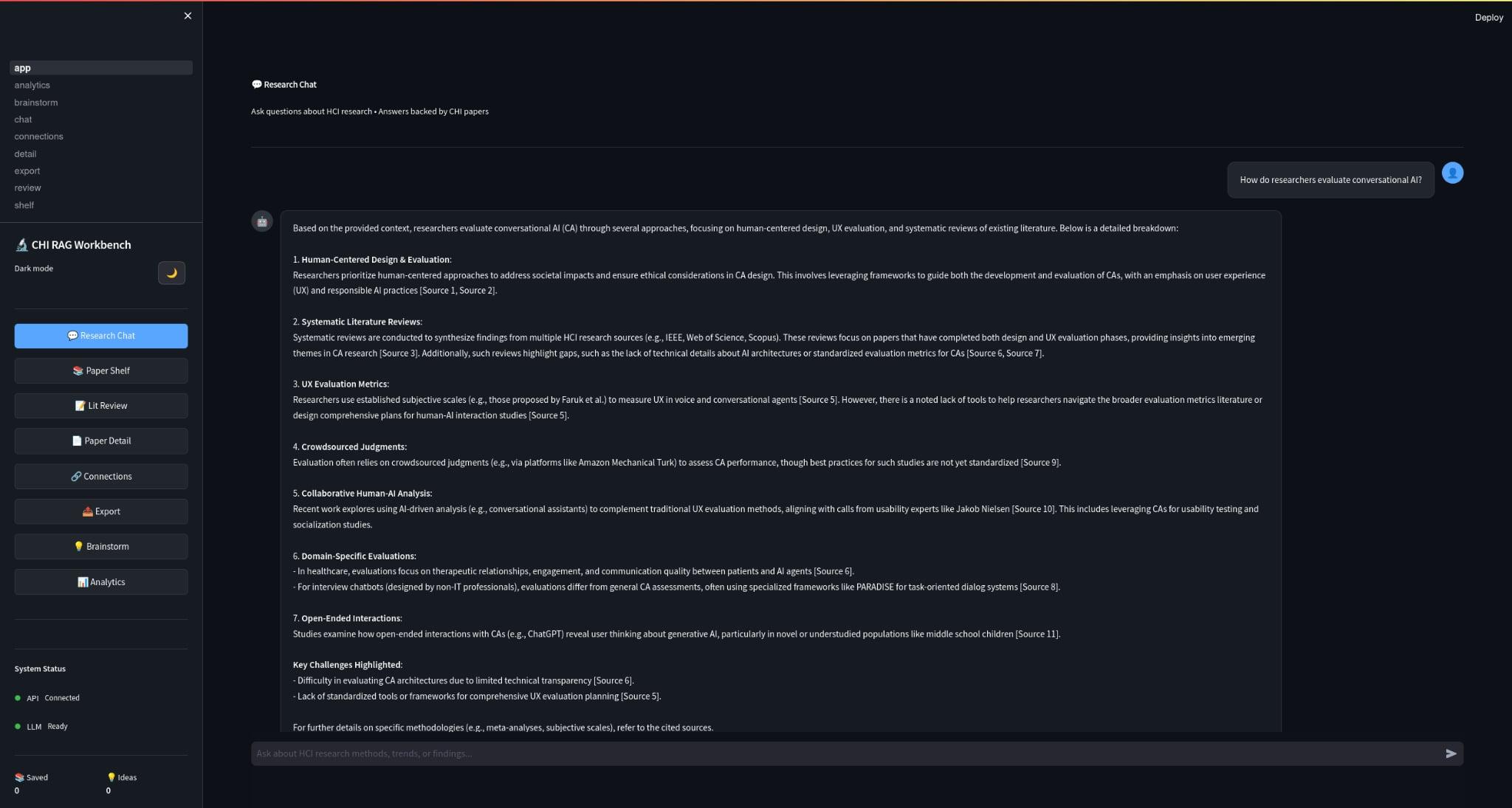
The Problem That Started It (A Supervisor’s Question)
It started with a simple moment in the lab.
My supervisor, YunSuen Pai, came to me with a problem that every HCI researcher quietly suffers from:
“We have thousands of CHI papers… how do we actually use them when we need to write, design a study, or find gaps—without spending weeks doing Ctrl+F across PDFs?”
The obvious answer is “use an LLM.”
The real HCI answer is: you don’t just need answers—you need trust.
Because in research, it’s not enough for a system to be fluent. It needs to be:
- grounded (show sources)
- auditable (prove where the answer came from)
- privacy-preserving (papers stay local)
- fast (so it fits real workflow)
That’s how HCI‑LLM (a.k.a. HCI Research Assistant) was born: a fully local RAG-based research assistant for exploring 8,000+ CHI conference papers.
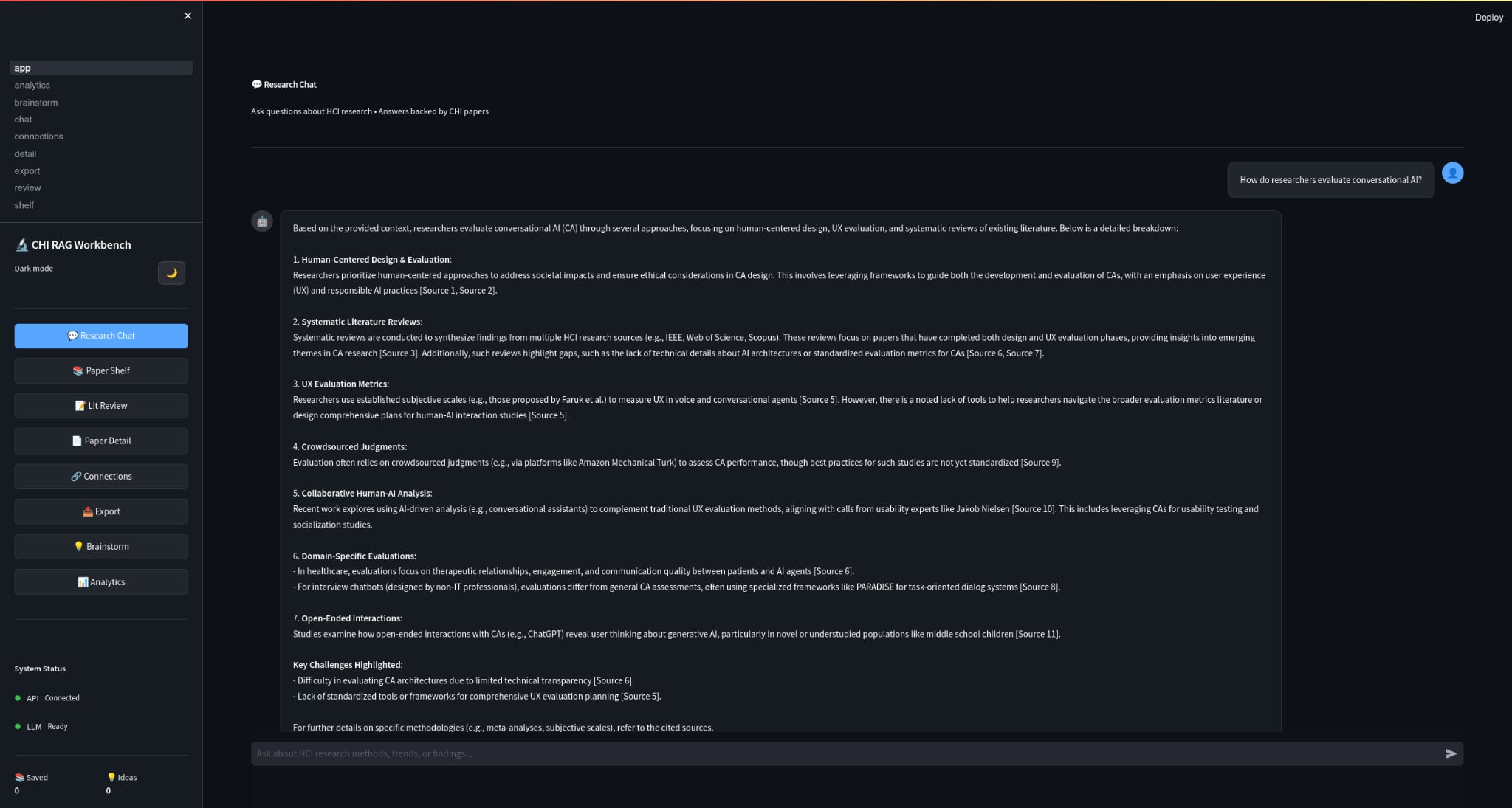
What I Ended Up Building
If I strip away all the tooling names, what I built was simple:
a local system that ingests CHI PDFs, builds a searchable research memory, and answers questions with citations without shipping the papers to the cloud.
At a high level:
PDFs → Text/Metadata → Chunking → Embeddings → ChromaDB
Query → Retrieval → Context → Local LLM (LMStudio) → Answer + Sources + Confidence
Why I Kept It Local
If you’re doing HCI research, your PDFs can include:
- copyrighted proceedings
- unpublished drafts
- sensitive notes and ideas
- early research directions
Uploading that to a hosted API is often a non-starter.
So I designed the system to be 100% local:
- PDFs stay on disk
- vector DB persists locally
- LLM runs via LMStudio (OpenAI-compatible local server)
That choice shaped everything else: performance, UX, and reliability.
The Parts That Actually Made It Useful
I did not want HCI‑LLM to become just another chat box over a document set. I wanted it to feel like a real workflow tool:
1) Semantic Search Across Thousands of Papers
Instead of keyword search, you can ask:
- “What are common evaluation methods for accessibility tools?”
- “How do papers measure cognitive load in XR?”
- “Summarize approaches to participatory design for older adults.”
And get a response backed by relevant paper chunks + citations.
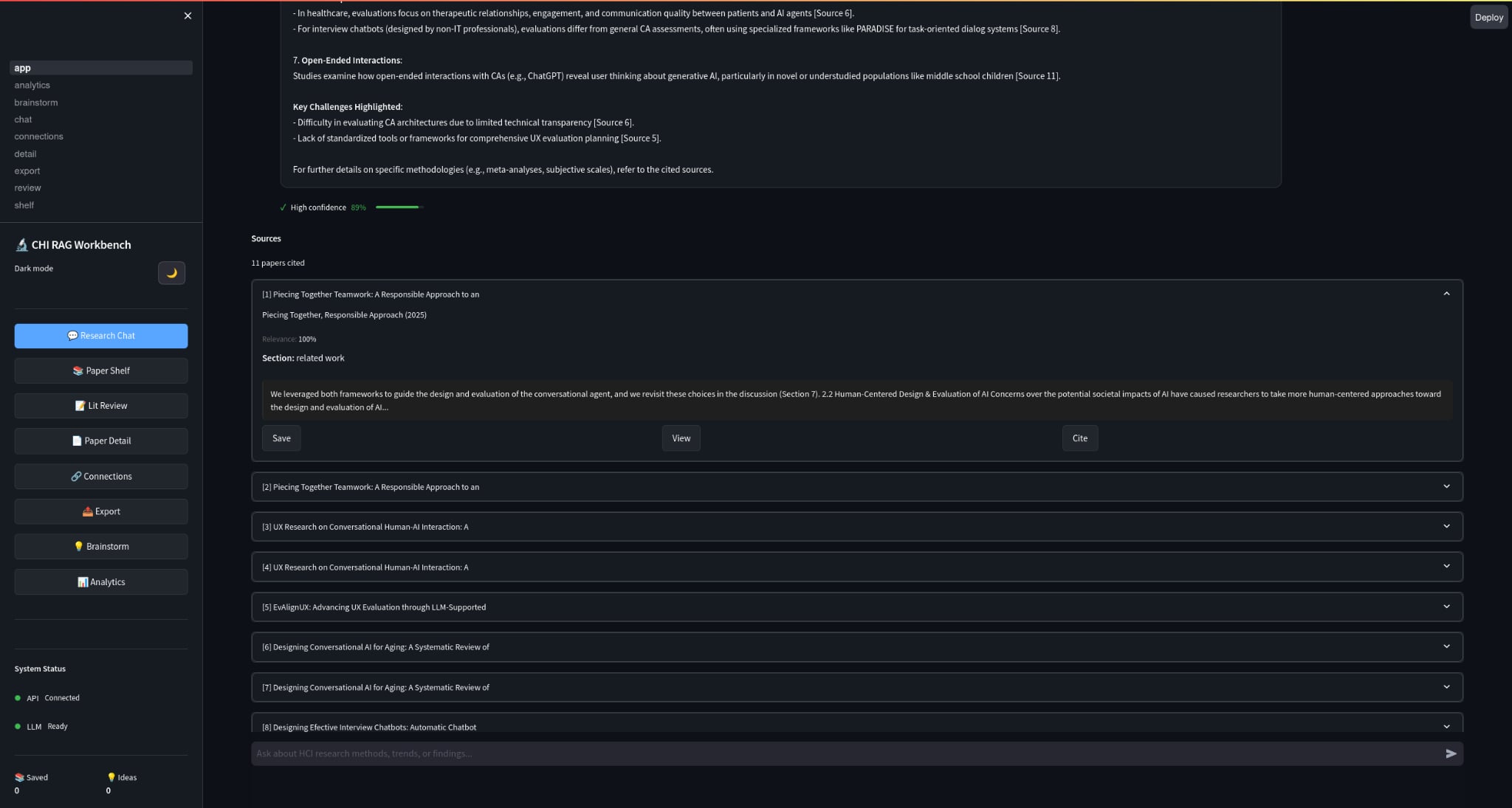
2) Specialized Research “Skills”
The system supports structured modes like:
- Literature review
- Methodology analysis
- Gap analysis
- Comparative analysis
- Brainstorming research ideas (with scoring)
These are not there just to look clever. They map to the actual things researchers do when they are trying to write, compare, synthesize, or frame a study.
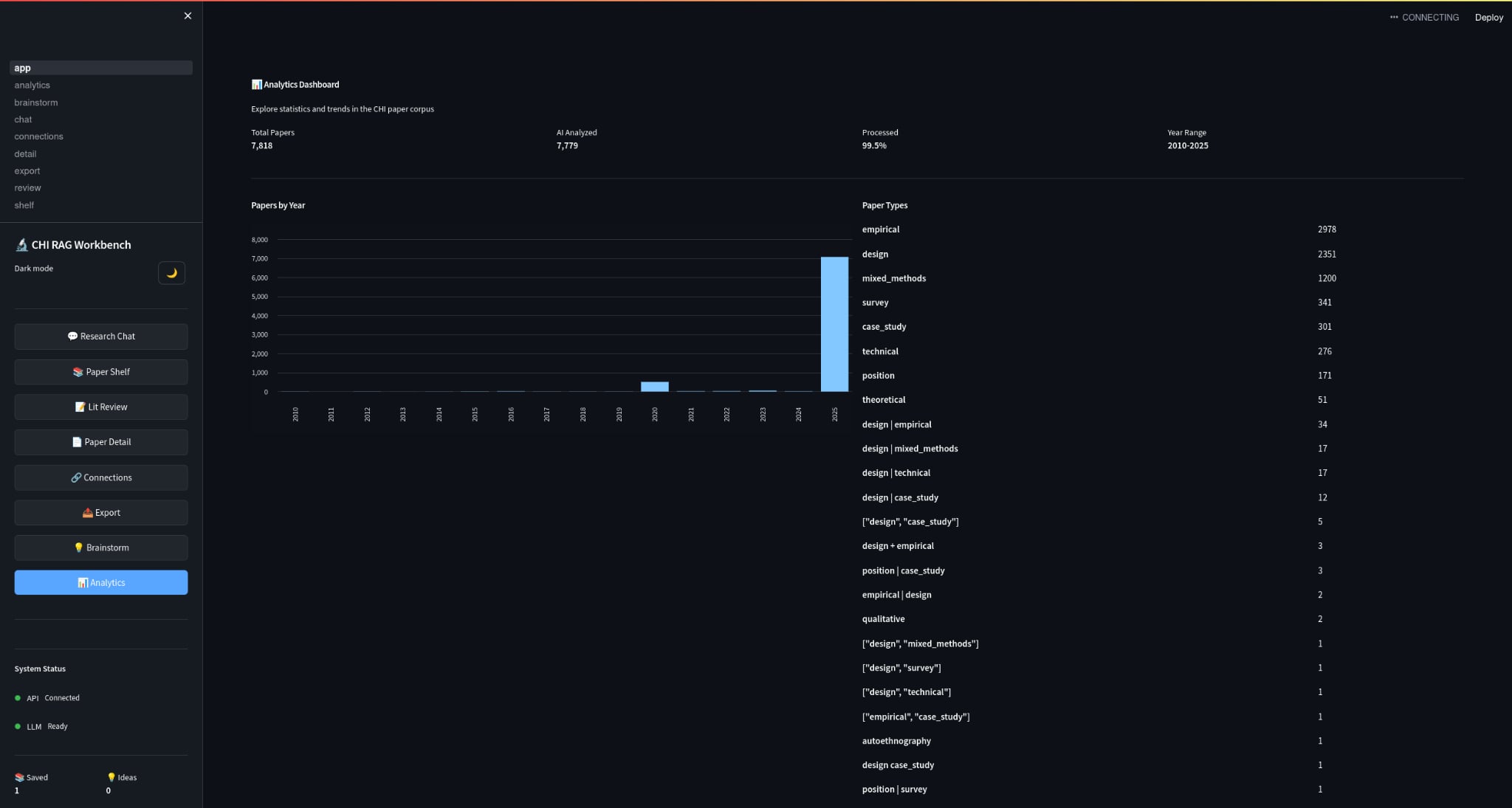
3) Analytics
Because discovery isn’t only Q&A:
- papers by year
- topic distributions
- trends
- (eventually) author networks + citation context
The Part I Cared About Most: Trust
If an LLM confidently makes things up, it’s worse than useless.
So the RAG pipeline is designed around citation-backed responses:
- retrieval filters by similarity threshold
- confidence scoring considers evidence + sources
- explicit “I don’t know” when confidence is low
- low temperature for factual modes
That was the whole point for me. If the system could not earn trust, then the rest of the interface did not matter.
Scaling Up: 8,000+ PDFs Without Re‑Ingesting Forever
One underrated challenge is operational:
ingestion takes time, and re-ingesting a 5,000–8,000 PDF library is painful.
So HCI‑LLM is designed for:
- persistent vector DB (ChromaDB on disk)
- incremental ingestion (only new files are processed)
- checkpointing (resume if interrupted)
- parallel processing for speed
That matters because real research libraries grow weekly.
Quick Start (If You Want to Try It)
If you have the repo, the workflow is:
cd HCI-Agent/HCI_LLM
./setup.sh
./start.sh
Then:
- Streamlit UI:
http://localhost:8501 - API Docs:
http://localhost:8000/docs
To ingest papers:
python scripts/ingest.py --max-files 10
python scripts/ingest.py --parallel --workers 8
What This Taught Me
Building HCI‑LLM made one thing very obvious to me: “LLM UX” is not just prompting. It is:
- provenance UI (sources must be legible)
- error UX (“no answer” should be graceful, not failure)
- workflow fit (what do researchers do before and after the answer?)
- performance as UX (latency changes trust)
The system is a research tool, but also a design experiment:
How do we build LLM interfaces that earn trust in high-stakes knowledge work?
What’s Next
I’m actively iterating on:
- better citation UI + chunk highlighting inside PDFs
- deeper analytics (author networks, method clustering)
- evaluation with real research workflows (time saved, quality of related work, confidence)
- better “study design” assistance with constraints and templates
If you’re curious, the project lives here:
- GitHub: https://github.com/GTamilSelvan07/HCI-Agent